
One tool, full stack
Node, baker, accuser, DAL node — all managed from a single interface.

curl -fsSL https://raw.githubusercontent.com/trilitech/octez-manager/main/install.sh | shgit clone https://github.com/trilitech/octez-manager.gitcd octez-manageropam install . --deps-onlydune build && dune installSee full instructions for OCaml/opam setup.
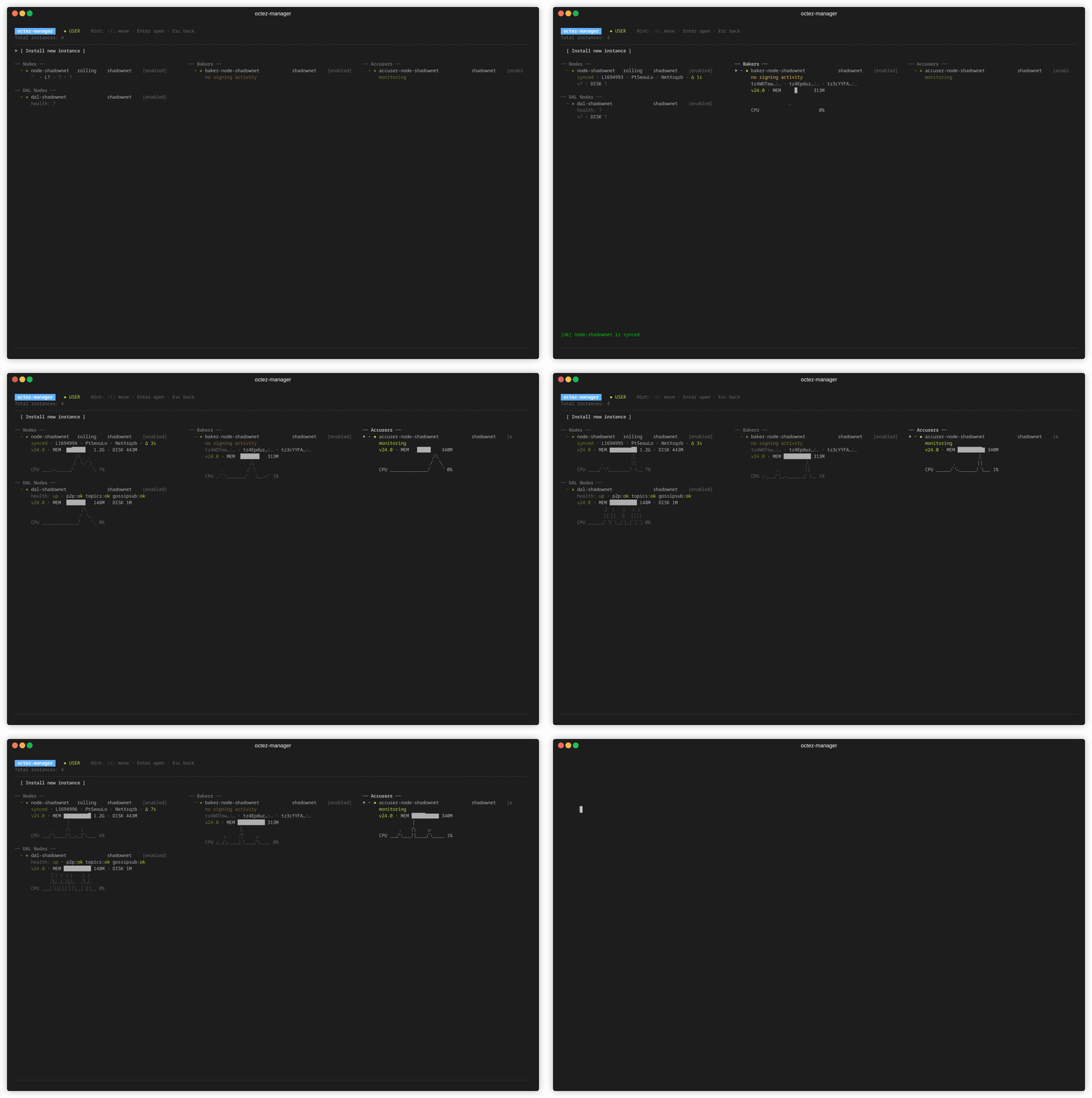
octez-manager install-node \ --instance shadownet \ --network shadownet \ --history-mode rolling \ --snapshotOr launch the interactive TUI:
octez-managerOne tool, full stack
Node, baker, accuser, DAL node — all managed from a single interface.
Production ready
Systemd integration, proper user isolation, automatic snapshots.
Interactive & scriptable
Beautiful TUI for operations, full CLI for automation.
Real-time monitoring
Live logs, service status, sync progress — all in your terminal.
Binary management
Download, store, and switch between Octez versions. Upgrade services with cascade updates and automatic rollback.
Self-updating
Get notified of new releases and update octez-manager directly from the TUI or CLI.
| Service | Command | Description |
|---|---|---|
| Node | install-node | Tezos L1 node with snapshot bootstrap |
| DAL Node | install-dal-node | Data Availability Layer |
| Baker | install-baker | Block production and attestations |
| Accuser | install-accuser | Double-baking detection |
# List all instancesoctez-manager list
# Control servicesoctez-manager instance shadownet startoctez-manager instance shadownet stopoctez-manager instance shadownet restart
# View logsoctez-manager instance shadownet logs
# Show detailsoctez-manager instance shadownet show# List available versionsoctez-manager binaries list-remote
# Download a specific versionoctez-manager binaries download 24.1
# See what's installed locallyoctez-manager binaries list
# Clean up old versionsoctez-manager binaries pruneAlready running Octez services? Import them into octez-manager:
# Discover unmanaged octez servicesoctez-manager list --external
# Import an existing serviceoctez-manager import octez-node-mainnet --strategy takeover